
Buy for the Brief, Not the Spec Sheet
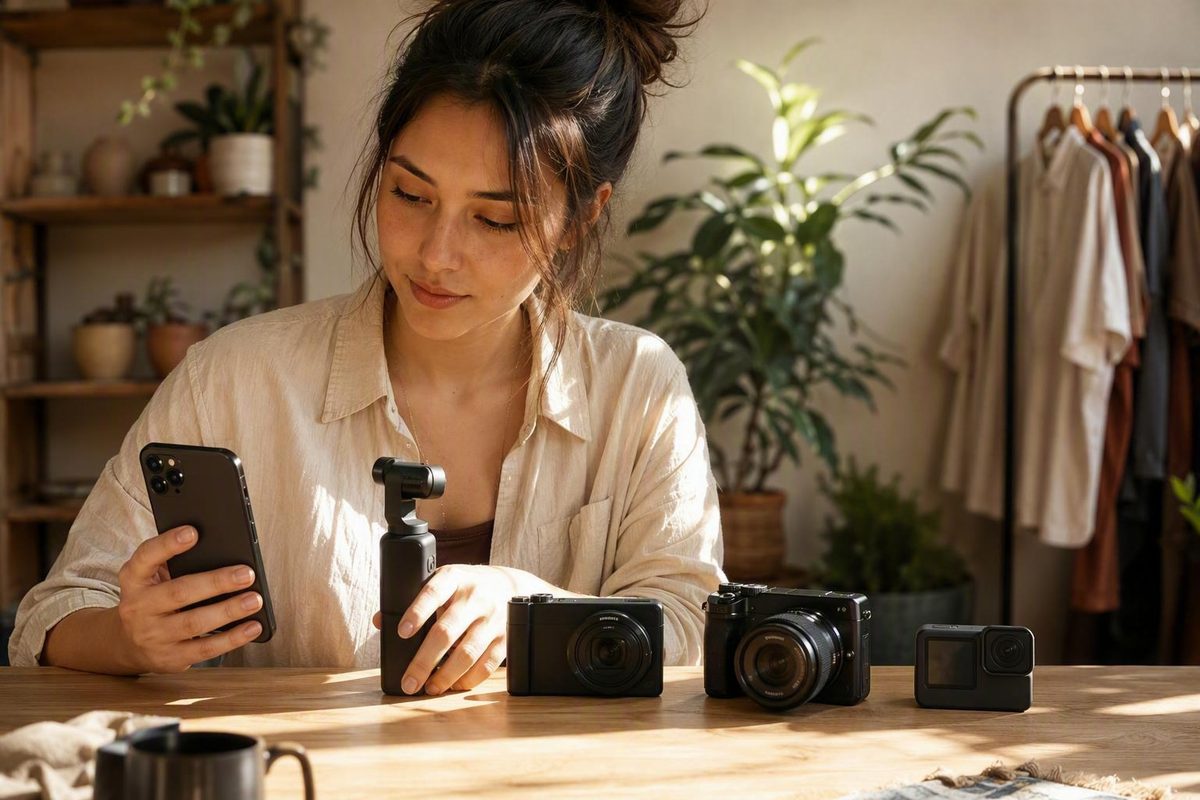
Start with a capable recent phone; upgrade to a pocket-gimbal, compact, mirrorless or action camera only to solve a proven production problem.
If you already own a capable recent smartphone, keep using it until you can identify a failed shot, reshoot risk, or delivery bottleneck it cannot solve. Move to a pocket-gimbal, compact, mirrorless, or action camera only when that workflow addresses a demonstrated production problem.
The short answer: match the camera to the job
There is no objective best camera for every UGC creator. A desk-based testimonial, a moving travel sequence, and a mounted action shot impose different requirements.
Even editorial buying guides disagree. Lens & Shutter favors the DJI Osmo Pocket 3 for most vloggers while positioning the Sony ZV-E10 II as an alternative for creators who want interchangeable lenses and greater control (see its scenario-based recommendations). Digital Camera World instead selects the ZV-E10 II for vlogging and the Pocket 3 for travel.
That disagreement is useful. One guide gives more weight to compact stabilization and quick deployment; the other prioritizes lens choice for its main vlogging recommendation. Neither ranking can replace your brief.
Treat these as scenario-specific starting points, not a league table:
| Workflow | Practical starting point | Useful strengths | Principal trade-offs |
|---|---|---|---|
| Low-friction talking heads and product demonstrations | Existing smartphone | Already owned, quick to deploy, direct editing and transfer | May expose limits in audio connections, low light, mounting, storage, or long takes |
| Stabilized moving self-filming | DJI Osmo Pocket 3 | Compact integrated gimbal, rotating screen, tracking-oriented workflow | Fixed lens and less rugged than an action camera |
| Lens-dependent studio or lifestyle work | Sony ZV-E10 II | Interchangeable lenses and more production control | More equipment and setup; reported lack of in-body stabilization |
| Integrated compact workflow | Canon PowerShot V1 | Built-in zoom and fewer separate components than a lens system | Less lens flexibility than an interchangeable-lens camera |
| Rugged or mounted action footage | GoPro Hero 13 Black | Mountable form and flexible reframing | Specialized workflow; external audio requires additional hardware |
| Advanced production deliverables | Panasonic S5 II or GH7 | Greater recording and production headroom | Higher working cost, size, learning burden, and complexity |
The table reflects the attributed manufacturer and editorial descriptions discussed below. It is not a standardized performance comparison.
Start with the phone row unless the brief gives you a reason to move elsewhere. A camera that records more data is not automatically more useful if it takes longer to rig, creates an unnecessary post-production burden, or stays at home because it is inconvenient to carry.
Start with the brief before buying equipment
Before opening a product comparison, ask the client or producer what must be delivered. “A social video” is not a complete specification.
Use this pre-purchase brief checklist:
- Resolution: What must the final files be delivered in?
- Orientation: Is the campaign vertical, horizontal, square, or a combination?
- Frame rate: Is normal-speed delivery enough, or are slow-motion shots required?
- File format: Does the editor require a particular codec, color profile, bit depth, or file type?
- Audio: Is spoken audio expected, and should it be supplied separately or as part of the mixed track?
- Shot duration: Are these short clips or long continuous takes?
- Location: Will you film at a desk, in public, in low light, near water, or on a moving platform?
- Delivery variants: How many aspect ratios, cut-downs, hooks, or alternate versions are required?
- Turnaround: How quickly must footage be transferred, edited, approved, and delivered?
- Creative treatment: Does the campaign call for polished production or deliberately informal, phone-native creative?
Each answer has an equipment consequence. Long takes put more pressure on power, storage, cooling, and recording reliability. Moving demonstrations increase the value of stabilization and subject tracking. Outdoor or mounted work changes the protection and mounting requirements. Multiple aspect ratios reward framing that leaves enough room to crop—or a capture format that supports both horizontal and vertical versions.
Do not assume you need 10-bit recording, open-gate capture, clean HDMI, or interchangeable lenses because those features appear in buying guides. They become relevant when a deliverable or production process uses them. Otherwise, they can add expense, larger files, grading work, and setup decisions without solving a client problem.
Portability and transfer speed also belong in the brief. A camera that takes several minutes to assemble or requires a cumbersome card-transfer process may be poorly matched to same-day social content. A slower, more controlled setup may be reasonable for planned studio work with a separate editor.
The practical question is not “Which camera has the strongest specification sheet?” It is “Which setup can produce every required version, in the actual location, by the agreed deadline?”
Use the phone-first upgrade test
The available evidence does not establish that paid UGC requires a dedicated camera. A capable recent smartphone can be a practical starting point for talking heads, testimonials, unboxings, and straightforward product demonstrations, particularly when the work is short-form, phone-native, and edited on the same device.
Retailer categories also reflect this mixed approach. Best Buy lists smartphone kits alongside cameras, microphones, lighting, tripods, stabilizers, storage, and editing tools, showing that a creator system can be assembled around either a phone or a dedicated camera (view the retailer’s creator-equipment categories). That product grouping shows what is sold, not what every creator needs.
Put any proposed purchase through this five-question upgrade gate:
- Is unstable footage causing unusable takes?
- Does the filming environment expose a repeatable low-light limitation?
- Is audio connectivity inadequate for the required microphone or monitoring arrangement?
- Is the current setup too slow for the promised turnaround?
- Is a required lens, mount, or recording format unavailable?
A “yes” is only the beginning. Name the consequence: the walking introduction needs repeated takes; the product cannot be framed from the required mounting position; storage runs out during long recordings; or file handling prevents same-day delivery.
Then test the least expensive credible fix. A tripod may solve instability in a static scene. Controlled lighting may improve a dark desk setup. A compatible microphone interface may resolve an audio problem. Better storage discipline or a faster transfer method may remove a turnaround bottleneck.
A new camera becomes sensible when supporting equipment cannot solve the problem adequately or when the dedicated camera creates a materially more reliable workflow.
Do not buy on the assumption that a dedicated camera will raise your rates, attract clients, grow an audience, or improve campaign performance. Those outcomes depend on far more than capture equipment.
Compare the main camera workflows and their trade-offs
The main camera categories solve different operational problems. Compare the complete workflow, not just the sensor or headline recording mode.
For the dedicated-camera details below, Digital Camera World reports that the Sony ZV-E10 II records 4K video but lacks in-body stabilization and an electronic viewfinder; the Canon PowerShot V1 has a built-in 16–50mm-equivalent zoom; the GoPro Hero 13 Black uses an 8:7 format and requires a Media Mod for external-microphone connection; the Panasonic S5 II offers open-gate 6K and internal 4K/60p 4:2:2 10-bit recording; and the GH7 offers recording options up to 5.8K (compare its reported specifications and use-case picks). These are the publication’s reported specifications and evaluations, not results from a standardized comparison supplied here.
Pocket-gimbal camera: DJI Osmo Pocket 3
DJI identifies the Osmo Pocket 3 as a pocket-sized gimbal camera with a 1-inch CMOS sensor (see DJI’s product description). The integrated format is useful when a solo creator needs stabilized moving footage without carrying a separate camera and gimbal.
Editorial guides recommend it particularly for travel, walk-and-talk filming, and moving self-recording. Its rotating screen supports quick orientation changes, while its subject-tracking workflow can reduce the manual camera operation required during a demonstration.
It remains a fixed-lens camera, however, and Digital Camera World considers it less rugged than an action camera. Stabilization can reduce visible movement, but it cannot make every step, handling error, or shooting condition shake-free.
Interchangeable-lens camera: Sony ZV-E10 II
The Sony ZV-E10 II fits creators who can explain why they need lens choice: perhaps a wider view in a small room, tighter product details, controlled background separation, or lenses shared with another production body.
Digital Camera World describes it as an E-mount interchangeable-lens camera with an articulating touchscreen. The publication’s reported lack of in-body stabilization and an electronic viewfinder does not rule it out, but it affects handheld planning. Lens selection, support, and stabilization become part of the purchase rather than optional afterthoughts.
The creator must also account for a suitable lens, storage, power, and whatever support the intended movement requires.
Fixed-lens compact: Canon PowerShot V1
Digital Camera World presents the Canon PowerShot V1 as an integrated compact option with a built-in zoom, integrated ND filter, active cooling, and microphone and headphone connections.
Its appeal is consolidation: fewer components than a mirrorless system, while retaining conventional camera controls and dedicated audio connections. The trade-off is that the built-in lens cannot be replaced if a later brief calls for a different focal range or optical characteristic.
Action camera: GoPro Hero 13 Black
Digital Camera World highlights the GoPro Hero 13 Black for rugged, mounted, or first-person capture. Its near-square capture format can provide room to derive horizontal and vertical versions from the same footage.
That makes the GoPro a specialist solution rather than the automatic choice for a talking head. Its value increases around mounts, movement, water, and locations where a less rugged camera would be awkward. If dialogue is central, include the additional audio hardware and its mounting implications in the plan.
Advanced mirrorless options: Panasonic S5 II and GH7
The Panasonic S5 II and GH7 are better treated as production-headroom options. Digital Camera World attributes open-gate capture, high-bit-depth internal recording, and in-body stabilization to the S5 II. It describes the GH7 as a weather-sealed Micro Four Thirds interchangeable-lens camera with phase-detection autofocus and advanced recording options.
Those capabilities can matter for demanding hybrid work, extensive reframing, color workflows, or briefs that specify advanced recording formats. They do not make either camera a necessary UGC purchase.
The category trade-offs are straightforward:
- All-in-one convenience versus lens flexibility
- Integrated stabilization versus ruggedness
- Production headroom versus cost and complexity
Choose the side of each trade-off that the deliverables reward.
Prioritize features that reduce reshoots and slowdowns
For a solo creator, the most valuable features are often the ones that remove uncertainty during the take.
Dependable face or subject tracking helps when you are demonstrating a product, moving across a room, or changing your distance from the camera. It can reduce the need for a second operator, but no autofocus or tracking system should be assumed to work flawlessly in every lighting condition, movement pattern, or composition.
A self-facing screen or monitoring method lets you check framing, recording status, and obvious focus problems. It is useful for many solo workflows but is not universally essential. A locked desk setup can be marked and rehearsed, while some cameras can be monitored through another connected device.
Stabilization matters most for handheld footage, walking sequences, and moving product shots. A tripod is usually the more direct solution for a static testimonial. A gimbal may suit deliberate movement, while an action camera may suit mounted motion. Match the support to the shot instead of assuming one stabilization system covers everything.
Vertical capture and reframing are delivery concerns, not social-platform gimmicks. The Pocket 3’s rotating-screen workflow is intended to make orientation changes quicker, while the GoPro’s near-square capture provides additional reframing room. Neither removes the need to compose carefully: captions, products, hands, and faces still need safe space in each final crop.
External-audio support belongs in the camera decision. Depending on the brief, a setup may need a wired microphone, wireless system, headphone monitoring, adapter, or separate backup recorder. Confirm the complete connection path before buying; microphone support may still require a receiver, cable, cage, adapter, or proprietary accessory.
Portability and transfer speed affect whether the setup gets used and whether the deadline is met. Test how long it takes to unpack, frame, record, transfer, back up, and begin editing. A modest camera with a fast, repeatable workflow may be more useful than an advanced body that creates friction at every stage.
Battery endurance, heat behavior, recording limits, autofocus, stabilization, and image quality vary with settings and conditions. There is no standardized performance ranking in the available evidence that can substitute for testing the resolution, frame rate, accessories, temperature, and shot duration you intend to use.
Build the minimum viable kit for each kind of shoot
Do not begin with a generic accessory haul. Build the smallest kit that completes a recurring kind of job.
Desk-based talking head
Must-haves
- Existing phone or suitable camera
- Stable tripod or desk support
- Controlled light
- Microphone where the brief requires clearer spoken audio
- Sufficient storage
- Continuous power or enough tested battery capacity
Optional upgrades
- Additional light for the background or product
- Teleprompter
- Backup audio recorder
- Alternative lens where framing or room size requires it
- Case for transporting the kit
For this workflow, stability, controlled exposure, intelligible sound, and repeatable framing usually deserve attention before a new camera body.
Handheld product demonstration
Must-haves
- Compact grip, support, or stabilization appropriate to the movement
- Reliable self-framing or monitoring
- Compatible microphone option when dialogue is recorded live
- Sufficient storage and power
- A tested method for switching or cropping between horizontal and vertical outputs
Optional upgrades
- Small fill light
- Close-up attachment or alternative lens
- ND filter for bright conditions
- Extension rod
- Backup audio
Rehearse where your hands and the product sit in each aspect ratio. A composition that works vertically may cut off part of the demonstration when converted to horizontal.
Travel or walk-and-talk footage
Must-haves
- Compact stabilized camera or phone stabilizer
- Secure case
- Power bank or spare batteries
- Adequate storage
- Audio solution appropriate to wind, traffic, crowds, and subject distance
Optional upgrades
- Wireless microphone
- Wind protection
- Mini tripod or extension grip
- ND filters
- Backup phone capture
This is where weight and deployment time become serious production variables. If a setup is too conspicuous, fragile, or slow to retrieve, its technical advantages may never reach the edit.
Outdoor action content
Must-haves
- Rugged or mountable camera
- Mount designed for the specific camera and activity
- Manufacturer-recommended retention or safety attachment where applicable
- Spare power
- Spare storage
- Required audio adapter or Media Mod when external GoPro audio is part of the brief
Optional upgrades
- Manufacturer-approved protective housing
- Additional mounting positions
- Remote control
- Separate audio recorder
- Secondary angle
Follow the camera and mount manufacturers’ instructions for the intended activity, including any restrictions concerning vibration, vehicles, water, compatible accessories, or handheld-only equipment. DJI, for example, says one of its selfie sticks is recommended only for handheld use and directs vehicle-mounted users to different equipment with appropriate stabilizing accessories (review DJI’s mounting warning).
A desktop grip, backpack clip, vehicle mount, and water-use housing solve different problems. “Mountable” is not a sufficient safety specification.
Across these setups, the recurring system is camera or phone, audio, support, light, storage, power, and accessories. Not every shoot needs every component.
Calculate the working cost, then test the setup
Ignore body-only pricing when deciding whether an upgrade is sensible. Retail prices, discounts, stock, and bundle contents change, and a promotional kit may still omit the lens, adapter, storage, or support required by the brief.
Build a total-cost worksheet instead:
| Line item | Working cost |
|---|---|
| Camera or phone | |
| Required lens | |
| Microphone or wireless audio | |
| Memory cards or device storage | |
| Batteries or power bank | |
| Tripod, grip, or mount | |
| Stabilization | |
| Lighting | |
| Case and protection | |
| Cables and adapters | |
| Editing tools | |
| Backup or archive storage | |
| Tax and delivery | |
| Contingency | |
| Total working-kit cost |
If the equipment is expected to support paid projects, you can model a hypothetical break-even point:
Total working-kit cost ÷ estimated net contribution per comparable project = projects needed to recover the equipment cost
“Net contribution” means the amount left from a project after its direct costs, not the full client fee. This is a planning scenario, not a promise that the camera will generate demand, secure bookings, raise rates, or pay for itself.
For an unusual brief, decide before accepting the work whether specialist equipment will be:
- purchased and retained;
- rented for the production;
- supplied by the brand or producer; or
- listed as a separate production expense.
No arrangement is automatically standard. The sensible choice depends on frequency of use, lead time, responsibility for damage, the agreed budget, and whether you expect to use the equipment again.
Before relying on a new setup for paid work, run a complete rehearsal:
- Record continuously for the expected shot duration.
- Recreate the intended lighting and movement.
- Inspect framing and focus at full size.
- Monitor audio during recording, then replay it.
- Measure representative battery and storage consumption.
- Transfer the files using the real working method.
- Complete a sample edit and export every required aspect ratio.
- Confirm that file names, formats, and delivery sizes are manageable.
- Keep fallback power, storage, audio, or phone capture available.
The go-or-no-go rule is simple: buy only if the setup solves a demonstrated production problem, survives the rehearsal, and is proportionate to realistic paid work. If you cannot name the failed shot, reshoot risk, or workflow bottleneck it will fix, keep the equipment you already own, improve the supporting kit, and wait for a real brief to justify the upgrade.