
Turn Your UGC Work Into a Clear, Credible Pitch
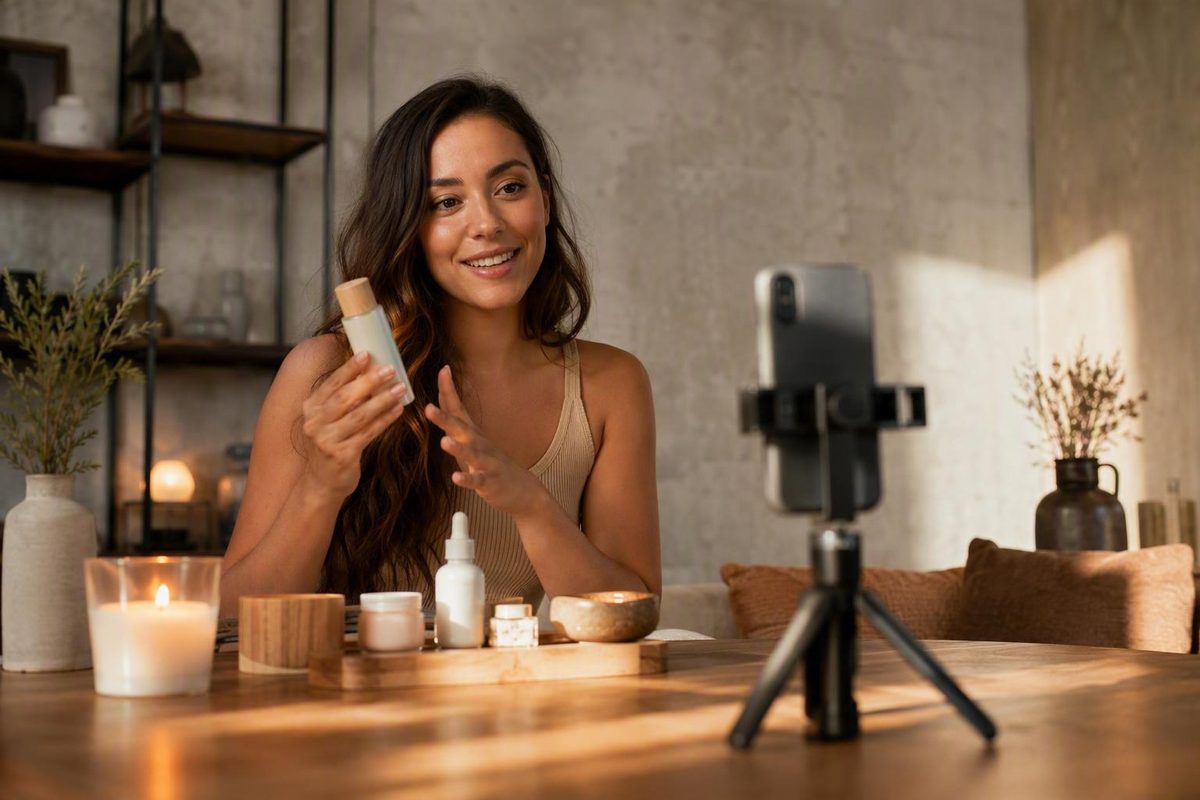
Around 5-12 strong videos is a flexible starting range. Beginners can use clearly labeled spec work without implying a brand commissioned it.
A UGC creator portfolio is not an archive of everything you have filmed. It is a curated sales asset that helps a prospective client answer a practical question: Can this creator make the kind of content we need?
That means the work must do more than look polished. Your portfolio should reveal your category fit, creative range, production skills, available services, exact contribution to each project, and route for starting a commercial conversation. It should also distinguish visible evidence from claims that a visitor cannot independently verify.
There is no proven universal template, sample count, niche strategy, pricing display, or hosting platform. The right choices depend on your experience, target clients, services, and the complexity of your work. The goal is not to imitate the most elaborate portfolio you can find. It is to make your own work easy to assess.
The recommendations below synthesize observable creator portfolios and practical guidance from creator marketplaces, portfolio builders, and commercial publishers. Those sources can illustrate common approaches, but they do not establish that a particular design, platform, or structure causes more bookings.
What a UGC creator portfolio is—and what it needs to prove
A UGC creator portfolio is a selected collection of videos, photographs, and related social content used to demonstrate your production capabilities to prospective brands, agencies, and social media teams. It can contain commissioned work, personal projects, clearly labeled speculative concepts, or a combination of the three.
A UGC portfolio usually emphasizes:
- Creative concepts and hooks
- On-camera delivery
- Product demonstrations
- Scriptwriting and messaging
- Filming, lighting, framing, and audio
- Editing, captions, pacing, and calls to action
- Category or audience fit
- Deliverables and production services
An influencer media kit commonly places more emphasis on:
- Audience size and demographics
- Reach, impressions, and engagement
- Social channels
- Distribution to the creator’s audience
- Previous sponsored posts
- Partnership or posting packages
Commercial arrangements vary. Some creators produce content for a brand to publish, while others produce and distribute content. If you offer both, separate the services clearly so a buyer understands whether a quoted deliverable includes production, posting, audience access, licensing, or some combination.
Think of the portfolio as a fast-scanning pitch rather than a complete creative history. Its job is to answer five questions without forcing the visitor to investigate:
- Who are you?
- Which categories, audiences, or formats do you cover?
- What does your finished work look and sound like?
- What can a client hire you to produce?
- How can the client inquire?
Your opening should establish those answers quickly, while the rest of the portfolio supplies evidence and detail. A beauty brand should not have to search through unrelated food, travel, and technology clips to find your skincare work. An agency seeking paid-social concepts should not have to guess whether your lifestyle videos were created for organic posting or advertising.
A portfolio also needs to distinguish evidence from promotional language. “Concept, script, filming, voiceover, and edit by me” is concrete. “I make high-converting content” is not, unless appropriately sourced conversion data supports the statement.
Owning a portfolio does not guarantee paid work. Neither does using a custom domain, choosing a particular template, or following one prescribed sequence. Those choices may improve clarity and usability, but a portfolio remains one part of a wider sales process that can include pitching, referrals, marketplace applications, negotiations, and reliable delivery.
A section-by-section portfolio blueprint
A useful portfolio can be compact, but its sequence should match the way a prospective client evaluates fit and execution risk. Start with identity and relevant work, then add context, services, proof, production details, and a next step.
A practical sequence is:
- Hero area
- Selected work
- Concise introduction
- Category galleries or compact case studies
- Services
- Credibility signals
- Production details
- Contact call to action
1. Hero area
The top of the page should establish:
- Your name or creator business name
- Your location or service market, when relevant
- A concise positioning statement
- Two or three representative categories or formats
- One strong sample, reel, or immediately visible gallery
- A prominent inquiry link
Use this positioning prompt:
[Location]-based [category] UGC creator producing [formats] for [organic social, paid ads, or both].
For example:
UK-based beauty and wellness UGC creator producing product demonstrations, testimonials, and short-form concepts for organic social and paid ads.
Location can matter when a brief requires local availability, a particular accent or language, in-person filming, or delivery of physical products. If it is not commercially relevant, do not let it dominate the page.
2. Selected work
Place your strongest and most relevant work before a long biography. A buyer should be able to see your production standard without first reading your life story.
The opening selection might include:
- A talking-to-camera product demonstration
- A voiceover problem-solution concept
- A tutorial or testimonial-style clip
- A small set of product photographs
Make sure videos play where they are displayed. If a visitor must open several new tabs, request access, or download unidentified files, the portfolio creates avoidable friction.
3. Concise introduction
Your biography should explain what helps you execute a brief. Useful details can include:
- Relevant category experience
- Languages, accents, or voiceover capability
- Access to suitable indoor or outdoor settings
- On-camera characteristics relevant to your target work
- Professional or subject-matter experience
- Access to additional actors, pets, vehicles, or locations
- Experience writing, filming, or editing short-form content
Personal information is useful only when it helps a client understand what you can produce. Being a homeowner may matter if you offer kitchen, garden, home-improvement, or household-product settings. Having a pet may be relevant to pet-care content. Neither detail proves that your creative will perform well.
4. Category galleries or case studies
After the initial selection, provide a simple way to explore relevant work. You can organize it by niche, product type, format, or intended placement. Label every group plainly.
A specialist might use one focused gallery. A generalist could create separate sections for beauty, food, home, technology, and travel. Each gallery should begin with its strongest example rather than its newest one.
5. Services
Only list capabilities you genuinely provide. Options may include:
- Creative concepting
- Scriptwriting
- On-camera performance
- Filming
- Editing
- Voiceover
- Product photography
- Raw-footage delivery
- Additional actors
- Organic social content
- Paid-social creative
Be careful with broad labels such as “full service.” A buyer needs to know which work you handle and which work requires a collaborator.
6. Credibility signals
Credibility can come from the work itself, documented results, attributed testimonials, previous client relationships, and relevant credentials. Keep these elements selective. A wall of logos or uncontextualized praise should not displace the samples a buyer came to review.
7. Production details
Include practical information that affects what you can deliver, such as:
- Available filming settings
- Languages or voiceover styles
- Additional actors
- Product-photography availability
- Raw-footage availability
- Your standard revision allowance
- Typical turnaround, if you have defined one
- Availability for travel or location work
Equipment details are optional. Include them when they clarify a capability, not as a substitute for showing the output.
Katie Davies’s portfolio provides an observable example of a page combining creator identity, category galleries, format examples, production details, services, selected testimonials, and contact information. It also lists optional extras such as additional hooks, raw footage, voiceover, another actor, and whitelisting. Its experience, client totals, testimonials, and other credentials are self-reported, so the example is most useful for studying presentation choices rather than judging commercial performance. View the Katie UGC portfolio structure.
8. Contact call to action
End every major page, gallery, or case-study route with an obvious next step. Options include:
- Email me about your brief
- Request availability
- Request a rate card
- Submit an inquiry
- Book an introductory call
- Ask about a category-specific package
Do not make the visitor return to the homepage to find your email address. The contact route should be visible, functional, and specific enough to set expectations.
How to build a beginner portfolio without paid clients
You do not need to wait for a paid commission before demonstrating production skill. You can create self-initiated concepts using products or services you already own, understand, and can discuss credibly.
The essential condition is transparent labeling. Use terms such as:
- Spec work
- Self-initiated concept
- Uncommissioned sample
- Personal project
Do not imply that the brand commissioned, approved, distributed, or obtained results from the work. Featuring a recognizable product is not evidence of a commercial relationship.
Choose products that support the category you want to pursue. If you want skincare work, a coherent set of cleanser, serum, sunscreen, and routine concepts is more useful than an arbitrary assortment of cereal, headphones, detergent, and hand cream. The objective is not to fill space. It is to make your intended commercial fit visible.
One practical starter plan contains six videos:
-
Product demonstration Show how the product works, what it looks like in use, and which feature matters to the intended customer.
-
Testimonial-style concept Speak from a clear customer perspective. If you cannot honestly make a personal outcome claim, focus on your experience with observable product features rather than inventing a result.
-
Unboxing Demonstrate pacing, product reveal, detail shots, first impressions, and package handling.
-
Tutorial or how-to Teach a defined process using a clear opening, logical steps, close-up coverage, and concise conclusion.
-
Voiceover problem-solution video Establish a customer problem, introduce a relevant product feature, show the product in use, and close with an appropriate action.
-
Lifestyle integration Place the product naturally within a routine, setting, or story so the viewer can understand where it fits.
This is a planning framework, not a hiring requirement. Creator guides recommend different quantities and combinations, including initial sets of roughly five to ten samples and later portfolios containing six to twelve clips. See StarNow’s beginner portfolio guidance.
Add a small photography set:
- One flat lay
- One product-in-use image
- One application or detail shot
- One contextual lifestyle image
This gives prospective clients evidence of composition, lighting, styling, texture, and product handling in addition to video production.
Before filming each concept, write a mock brief containing:
- Intended audience: Who is the content for?
- Customer problem: What need or friction does it address?
- Product feature: Which feature supports the message?
- Hook: Why should the viewer keep watching?
- Key message: What is the single main idea?
- Call to action: What should the viewer do or understand next?
- Intended placement: Organic social, paid creative, product page, marketplace listing, or another context?
This step prevents several superficially different videos from repeating the same creative idea. It also teaches you to make decisions against an objective instead of filming attractive footage without a message.
Use a caption such as:
Spec work | Skincare demonstration | Goal: explain a three-step routine | Role: concept, script, filming, voiceover, captions, and edit.
You can expand it where useful:
Audience: Time-conscious skincare beginners Intended placement: Organic short-form social Status: Uncommissioned sample; not brand-approved
Treat approximately five to twelve strong videos as a flexible starting range rather than a mandatory total. Use fewer if additional work would be repetitive or weak. Add more when the samples provide meaningful evidence of different categories, hooks, settings, audiences, or production treatments.
Choose and organize samples for quick evaluation
Lead with your strongest relevant work, not your earliest project or most recent upload. Chronology rarely helps a buyer determine whether you fit the current brief.
There are four practical organization systems:
-
By niche Examples: beauty, wellness, food, home, technology, travel.
-
By format Examples: demonstrations, testimonials, tutorials, unboxings, voiceovers, photography.
-
By product category Examples: skincare, haircare, kitchen products, apps, supplements, clothing.
-
By intended use Examples: organic social, paid-social creative, product pages, launch assets.
Choose the system that reflects how your likely clients search. A beauty agency may prefer category sections. A performance-focused client may want to distinguish paid concepts from organic community content. A creative producer casting for a specific format may prefer separate groups for demonstrations, testimonials, and voiceovers.
Three portfolio architectures cover most situations.
Beginner portfolio: one compact mixed gallery
Use a short hero statement, a varied video selection, a small photo set, services, production details, and contact information. Keep navigation shallow. Captions can explain the category, format, and intended use of each sample.
Specialist portfolio: one focused category gallery
A specialist does not need unrelated categories merely to appear versatile. Show depth within the category through:
- Different products and price points
- Multiple customer problems
- Different hooks and objections
- Tutorials, testimonials, demonstrations, and stories
- Indoor, outdoor, routine, and product-detail settings
- Calm, educational, energetic, humorous, or premium delivery
- Organic and paid-social concepts, where relevant
A skincare specialist could demonstrate cleansers, tools, treatments, routines, textures, application methods, and common purchase objections without adding unrelated food or software clips.
Multi-category portfolio: separate sections or pages
Give each category a clear route from the main page. A prospect should be able to choose “Beauty,” “Food,” “Home,” or “Technology” immediately. When pitching, send the page or anchored section most relevant to that prospect instead of expecting the recipient to browse the entire site.
Across any architecture, use range deliberately. Possible treatments include:
- Talking to camera
- Voiceover
- Product demonstration
- Testimonial-style concept
- Review
- Tutorial
- Unboxing
- Storytelling
- Problem-solution
- Lifestyle integration
Production range is not just a list of formats. It can also appear through:
- Different opening hooks
- Slow and fast pacing
- Wide, medium, and close-up compositions
- Multiple settings
- Direct, conversational, educational, or character-led delivery
- Minimal and more dynamic edits
- Product-focused and creator-focused coverage
- Different calls to action
Do not confuse variation with randomness. Every sample should support your positioning or demonstrate a capability that a target client could buy.
Likewise, do not treat a narrow category, one recurring filming environment, or a small early-stage portfolio as automatic evidence of poor work. A single category may represent valuable specialization. A recurring location may be appropriate for a creator focused on cooking, home care, or bathroom-based skincare routines. These characteristics may prompt follow-up questions, but they do not establish unreliability.
Remove duplicate concepts. If three clips use the same hook, structure, setting, and delivery with different products, retain the best one unless the repetition demonstrates a commercially relevant series. A smaller, sharper gallery is more persuasive than a padded portfolio built to reach an arbitrary total.
Add context, proof, and compact case studies
A sample without context shows what the final asset looks like. A well-written caption also shows how you approached the assignment.
Use this standard caption structure:
- Project status: Commissioned, gifted, personal, or spec
- Product or category: What is being presented?
- Objective: What was the content intended to accomplish?
- Audience: Who was it designed for?
- Platform or placement: Where was it intended to appear?
- Format: Demonstration, testimonial, tutorial, paid-social concept, and so on
- Creator contribution: What exactly did you do?
- Deliverables: What assets or variations were supplied?
- Outcome: What result is available, if any?
For example:
Paid-social testimonial | Skincare Objective: Address hesitation about adding another step to an evening routine Audience: Skincare buyers seeking a simple routine Role: Concept, script, on-camera performance, filming, editing, captions Deliverables: One main edit and three opening hooks Outcome: Client did not supply campaign results
Always identify your exact role. If an agency wrote the script, say that. If another editor finished the video, distinguish your filming and performance contribution. If you acted in a concept developed and directed by someone else, do not claim strategy or concepting.
A useful proof hierarchy runs from strongest direct evidence to weakest assertion:
-
Directly visible work Visitors can inspect the framing, performance, sound, editing, captions, and storytelling.
-
Documented metrics with source and period The portfolio explains where the numbers came from, what they measure, and when they were recorded.
-
Attributed testimonials A named client or collaborator gives an opinion about the working relationship or output.
-
Previous brand associations Logos, project names, or client lists indicate a claimed relationship.
-
Relevant credentials Training, professional experience, languages, or category expertise may support fit.
-
Unsupported promotional claims Phrases such as “high-converting,” “top-performing,” or “guaranteed to engage” provide little evidence by themselves.
Turn suitable projects into compact case studies with four parts:
Brief or objective What was the client trying to communicate, test, or produce?
Creative decision Why did you choose a particular hook, structure, setting, or delivery style?
Delivered assets List the main edit, variations, photographs, raw footage, or alternate calls to action.
Results Report only what the available data supports. If no results were provided, say so plainly.
For example:
Objective: Introduce a meal-planning app to busy parents. Creative decision: Opened with an evening decision-fatigue scenario before showing the app workflow. Delivered assets: One edited vertical video, two alternate hooks, captions, and clean voiceover. Results: The client did not provide distribution or performance data.
When including metrics, identify the platform, metric, reporting period, campaign objective, and source when those details are available. “Received 200,000 views” does not establish conversions, sales, profitability, or creative causation. “The client reported 200,000 paid views during the campaign period” is narrower and more transparent, although it still does not prove that the creator controlled the outcome.
Testimonials are attributed client opinions. They can support statements about communication, responsiveness, collaboration, or satisfaction, but they are not independent proof of campaign effectiveness. Similarly, a logo indicates a claimed association; it does not establish the project’s scale, outcome, or whether the relationship was repeated.
Before publishing client work, logos, testimonials, briefs, or results, review the applicable agreement and obtain qualified advice if you are unsure what may be disclosed. An anonymized description of the category, objective, role, and deliverables should be used only when the agreement allows it. Guidance about confidentiality, usage rights, and contract interpretation is general information rather than agreement-specific legal advice; read the actual terms and consult a professional when necessary. Larping Agency’s terms make the same general-information distinction.
Real portfolios are useful for studying observable presentation choices. For example, Nabila Raine’s portfolio separates photographs into scene, application, lifestyle, and general product shots while grouping video work into categories such as skincare, makeup, fashion, unboxings, and experiences. That structure illustrates one way to make formats and categories browsable; it does not reveal booking rates or campaign performance. See Nabila Raine’s portfolio organization.
Present services, rates, and commercial details clearly
Separate the creative work you perform from the commercial permissions and conditions attached to its use.
Creative services can include:
- Concepting
- Scriptwriting
- Filming
- Editing
- Photography
- Voiceover
- On-camera acting
- Additional actors
- Alternate hooks or calls to action
- Raw-footage delivery
Commercial scope items can include:
- Paid-ad usage
- Whitelisting
- Licensing scope and duration
- Exclusivity
- Renewal or extension
- Placement across specified channels
These categories affect different parts of a project. The applicable contract should state the agreed scope. Larping Agency describes rates, usage rights, whitelisting, exclusivity, contracts, and briefs as part of its editorial focus on UGC economics, but its material should still be treated as general industry information rather than advice for a particular agreement.
A concise service block might read:
Services Organic UGC, paid-social creative, product photography, concept development, scripts, filming, editing, voiceover, and optional raw footage.
A deliverable description might read:
One edited vertical video, one agreed revision, and final delivery in the specified format; extra hooks, calls to action, actors, raw footage, paid usage, and whitelisting are scoped separately.
Before requesting a quote, a brand may need to know:
- What your standard deliverable includes
- How many revisions are included
- Your usual turnaround, if defined
- Current or upcoming availability
- Whether additional actors are available
- Whether raw footage can be supplied
- Whether paid usage is available
- Which information you need before quoting
There are three commonly observed ways to display pricing.
1. Publish fixed packages
This can give visitors an immediate indication of the offer when deliverables and conditions are tightly defined. Clarify whether usage, revisions, actors, travel, raw footage, and production complexity are included or separately quoted.
2. Publish a starting price
A starting price communicates a minimum level without implying that every brief has the same scope. Explain what the starting deliverable includes and which variables can change the quote.
3. Supply a rate card or proposal after inquiry
This allows the proposal to reflect deliverables, revisions, usage, licensing period, exclusivity, raw footage, actors, travel, and production complexity. It also gives visitors less pricing information before they contact you.
Public prices may help some visitors assess basic budget alignment, while quote-based pricing allows more brief-specific scoping. These are practical possibilities, not proven effects.
Its layouts demonstrate available presentation choices, not booking or conversion outcomes. Review the portfolio presentation examples.
Avoid presenting generic online price figures as dependable market benchmarks. Geography, experience, production requirements, deliverable count, revision scope, licensing, exclusivity, and usage can all change the commercial scope of a project.
Discussion of contracts, licensing, whitelisting, exclusivity, and usage rights here is general education, not agreement-specific legal or financial advice. Read the contract and seek qualified advice when needed before accepting rights, restrictions, or financial terms.
Choose a hosting format that fits the job
The most suitable host is the simplest option that displays your work reliably, gives it enough context, and makes inquiry easy. A sophisticated website with broken videos is less useful than a straightforward public page that works on a phone.
Evaluate each option against:
- Setup effort
- Recurring cost
- Mobile playback
- Navigation
- Visual control
- Analytics
- Permission controls
- Link reliability
- Branding
- Ease of tailoring the experience for a prospect
| Format | Advantages | Limitations to manage |
|---|---|---|
| Canva page or presentation | Quick visual setup, customizable layouts, shareable link | Embedded playback, mobile layout, access settings, and template restrictions need testing |
| Standalone website | Strong control over navigation, branding, galleries, and niche pages | More setup, maintenance, and possible recurring costs |
| Notion page | Low-complexity editing and easy section organization | Less visual control; embeds and public permissions require testing |
| Cloud folder | Fast to assemble and easy to update | Weak context unless files are named and ordered carefully |
| Video playlist | Convenient sequential playback | Limited room for service, role, pricing, and contact context |
| Creator-marketplace profile | Work and application profile can sit in one ecosystem | Presentation and access depend on the marketplace’s rules |
| Hybrid setup | Allows a landing page to connect to detailed folders or playlists | More links and permissions to maintain |
Canva maintains a catalog of customizable templates labeled for UGC creator portfolios, as well as broader creator presentations and portfolio websites in several visual styles. The catalog establishes template availability, not hiring effectiveness, and individual assets or features may have account or access conditions. Browse Canva’s UGC portfolio templates.
Canva or Notion can be sensible low-complexity starting points if videos embed correctly, text remains readable on mobile, and public links work. A standalone website becomes more useful when you need separate niche pages, richer navigation, stronger branding control, or tailored landing pages for different prospects.
Cloud folders and playlists can also work, especially when speed matters. If you use them:
- Number files in the intended viewing order
- Replace filenames such as
final_v7_export.mp4 - Use descriptive titles
- Select useful thumbnails
- Confirm view permissions
- Add a short introduction
- Identify your role and project status
- Include contact details in the folder description or cover document
A marketplace profile may be convenient when applying to opportunities within that marketplace, but it should not be assumed to outperform an external portfolio. It may also be less flexible when you need to send a prospect a tightly tailored category selection.
Do not delay publishing solely because you cannot build an elaborate website. Start with a reliable, clear page and improve it as your work and commercial needs develop. Before stating platform prices, feature limits, storage allowances, or account requirements, verify them using current first-party documentation.
Run a technical, credibility, and maintenance audit
Before sharing your portfolio, test it as if you were a prospective client opening the link for the first time.
Layout and navigation
- Does the mobile layout preserve the intended order?
- Is the text readable without zooming?
- Are buttons large and clear enough to use?
- Can visitors find each category easily?
- Does every major section lead to an inquiry route?
- Are menus, anchored links, and back buttons working?
- Does the page load within a reasonable time?
Video and media
- Do all videos play?
- Do they play without requiring account access?
- Are thumbnails useful and correctly cropped?
- Is the audio clear and consistent?
- Is the framing suitable for the intended placement?
- Are exports clean?
- Is the aspect ratio correct?
- Have editing-app watermarks been removed?
- Are captions present where they improve comprehension?
- Do meaningful images have concise alt text?
Captions and alt text are practical accessibility measures, but adding them does not by itself establish complete accessibility compliance.
Permissions and contact
- Are cloud files visible to the intended viewer?
- Do email links open the correct address?
- Does the inquiry form submit successfully?
- Does the confirmation message appear?
- Do booking links open the correct calendar and time zone?
- Are social profile links current?
- Is there a fallback email address if an embed fails?
Production and commercial usability
Check whether music, stock media, fonts, filters, graphics, and other assets appear suitable for the intended commercial use. This is a preliminary production check, not legal clearance. If a client plans to use the content in paid promotion, ask for its requirements and review the applicable licences or agreement rather than assuming that an asset used in a personal post is also cleared for an advertisement. Commercial screening guidance likewise flags copyrighted music, filters, and editing watermarks as potential usability concerns, while noting that such checks are not conclusive. See Conbersa’s portfolio-screening discussion.
Accuracy and ownership
For each sample, confirm:
- Is it labeled as client work, personal work, gifted work, or spec work?
- Is the brand relationship described accurately?
- Is your exact contribution stated?
- Are collaborators identified where relevant?
- Have you reviewed whether the work may be displayed?
- Are results presented with their source and reporting period?
- Have potentially confidential details been removed?
- Does the description avoid implying approval or outcomes that were not supplied?
Cross-platform checks and reverse-image searches may help investigate copied work. Creators can also retain source files, project files, original footage, and dated exports as practical records. None of these checks conclusively proves ownership of every asset, so treat them as investigative tools rather than final proof.
Maintenance
Review the portfolio periodically rather than following an arbitrary replacement schedule. Remove or replace work when it is:
- Broken
- Weaker than newer work
- Duplicative
- Visually or strategically dated
- No longer representative of your services
- Commercially unusable
- Incorrectly labeled
- No longer appropriate to display
Do not update merely to make the portfolio look active. Update when the change improves relevance, evidence, usability, or commercial clarity.
Track what happens after sharing it. Useful signals include:
- Qualified inquiries
- Replies to targeted pitches
- Introductory calls
- Bookings
- Repeat work
- Requests for particular formats or categories
- Frequent questions that the portfolio could answer earlier
Use those signals to test changes. If prospects repeatedly ask whether you provide raw footage, add that information. If beauty prospects rarely reach the beauty gallery, send a direct link or move it higher. Do not assume that a template converts simply because it looks polished.
Use this compact audit scorecard before publication:
| Area | Audit question |
|---|---|
| Positioning clarity | Can a prospect identify who I am, what I make, and for whom? |
| Sample relevance | Does the opening work match the clients I want? |
| Creative range | Do samples show meaningful variation without unrelated clutter? |
| Proof quality | Are metrics sourced, testimonials attributed, and claims appropriately limited? |
| Technical usability | Do pages, videos, permissions, and forms work on mobile while logged out? |
| Commercial clarity | Are services, deliverables, revisions, and separate scope variables understandable? |
| Ease of contact | Can a prospect inquire from every important route? |
Frequently asked questions
How many samples should a UGC creator portfolio include?
There is no universal requirement. Approximately five to twelve strong videos is a practical planning range synthesized from creator guides that offer differing recommendations; it is not a validated hiring threshold. StarNow, for example, suggests creating five to ten initial samples and later presenting six to twelve clips across formats. Review the underlying sample-count guidance.
A beginner may need only a compact set of genuinely different concepts. A specialist can use a similarly small set if it demonstrates depth across hooks, objections, formats, and products. An experienced multi-category creator may need more work or separate galleries so each category has adequate evidence.
Do not retain weak or duplicate samples merely to reach a target. Relevance and clarity matter more than an arbitrary total.
Can I make a UGC portfolio without previous brand deals?
Yes. Create speculative or self-initiated samples with products you already own and understand. Build each one from a mock brief, and choose products that align with the category you want to pursue.
Label the work transparently as spec work, an uncommissioned sample, or a self-initiated concept. Do not imply a paid relationship, brand approval, distribution, or campaign result.
One possible six-video planning set is a demonstration, testimonial-style concept, unboxing, tutorial, voiceover problem-solution video, and lifestyle integration. The exact number and mix should reflect the work you want to sell.
Should a UGC creator portfolio show rates?
It can, but it does not have to. Three common approaches are:
- Publish a defined package
- Show a starting price
- Provide a rate card or proposal after inquiry
Public pricing gives visitors more information before they contact you. Quote-based pricing gives you more room to account for deliverables, revisions, production complexity, raw footage, usage, licensing duration, exclusivity, actors, and other scope variables.
Whichever approach you choose, state what the standard deliverable includes and which items require separate scoping. Available portfolio examples do not establish one pricing-display method as universally better.
Is a Canva portfolio sufficient, or do I need a website?
A Canva portfolio can be sufficient if it is public, easy to navigate, readable on mobile, reliable in playback, and clear about how to inquire. Notion can serve a similar role.
Cloud folders, playlists, and marketplace profiles are additional options when they include clear file names, context, working permissions, and contact information.
Choose the simplest format that reliably presents the work. A custom website or domain should not be treated as a guarantee of more clients.
Should I focus on one UGC niche or show several categories?
Either approach can work.
Focus on one niche when you have a clear target market and enough variety within that category to demonstrate depth. Show different products, customer problems, hooks, settings, formats, and delivery styles rather than adding unrelated work solely to appear versatile.
Show several categories when they reflect the clients you genuinely want and the work you can produce well. Separate them into obvious sections or pages, then send prospects directly to the relevant category.
Specialization is not automatically superior to a multi-niche strategy, and a broad portfolio is not automatically more versatile. The better structure is the one that lets your intended client find convincing, relevant evidence quickly.
The practical build order is straightforward:
- Define the client or category you want to attract.
- Choose a focused starter set of relevant work.
- Label every sample honestly.
- Add concise context about the objective, audience, placement, and your role.
- State your available services and the variables that require separate scoping.
- Publish on the simplest host that displays the work reliably.
- Test the complete viewing and inquiry path on mobile and while logged out.
Then let the portfolio evolve through stronger work and better-quality inquiries—not unsupported assumptions about the perfect template, niche, platform, or sample count.