
How to Build Creator Videos That Are Usable, Licensable, and Testable
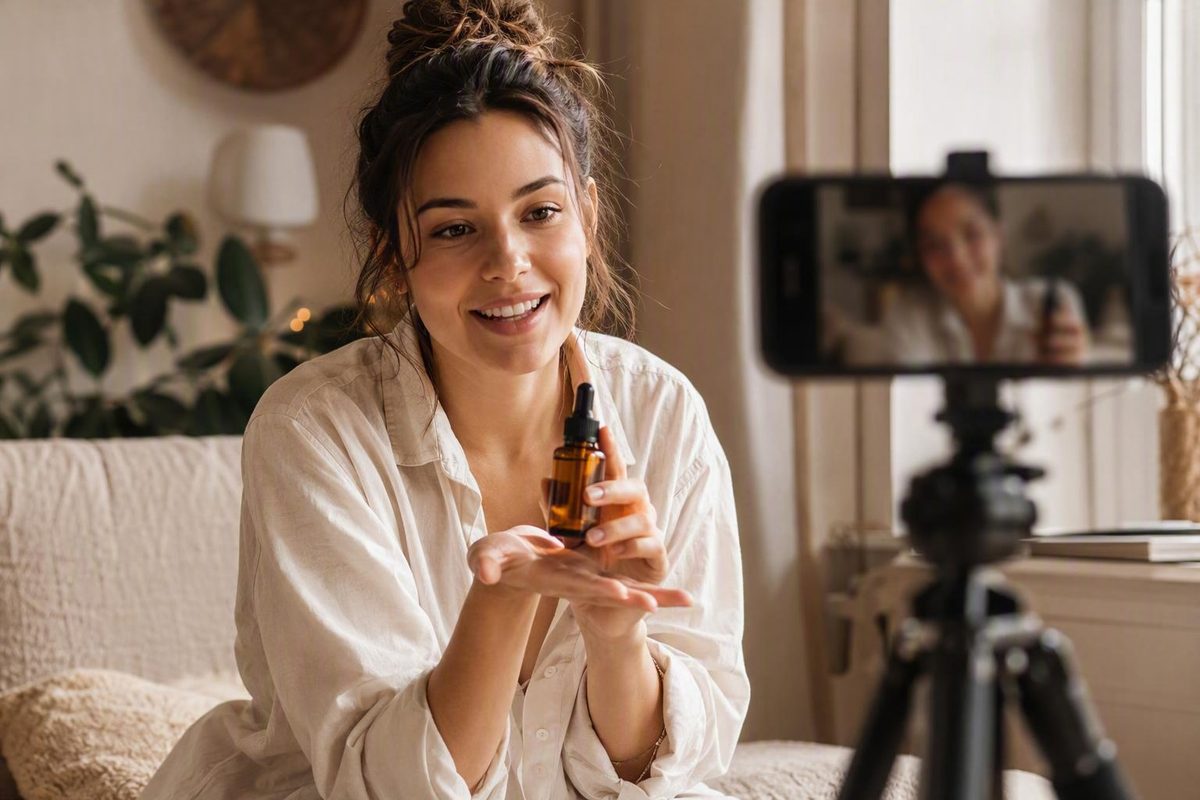
Commissioned UGC is advertising creative, not an unsolicited opinion. See how origin changes the brief, fees, deliverables, disclosure and usage rights.
UGC videos sit at an awkward intersection of customer content, creator work, advertising, and social media. The label may describe a spontaneous customer review, an incentivized submission, or a commissioned video carefully briefed for paid ads. Those assets can look similar in a feed while reflecting very different commercial relationships, permissions, and evidentiary value.
A sound UGC program therefore starts with precise language—not the assumption that anything filmed on a phone is automatically authentic or effective. Brands and creators need to agree on what is being made, which customer question it will answer, where it will run, which claims it may contain, how much work is included, and what usage rights the payment covers.
What counts as a UGC video?
UGC videos are product- or brand-related clips made by people outside the brand’s in-house creative team, but industry usage varies. Some definitions reserve “user-generated content” for material independently created by customers or advocates. Others include freelancers commissioned to produce platform-native assets for brand marketing.
The Digital Marketing Institute uses the broader creator-origin concept, covering customers, advocates, employees, and followers, while distinguishing generally unpaid UGC from sponsored influencer arrangements and acknowledging that paid creators blur the boundary. Its overview of UGC sources and relationships illustrates why the label alone does not explain how an asset was produced.
A practical taxonomy is more useful than applying one label to everything:
| Category | Who initiates it? | Typical compensation | Typical distribution | Important qualification |
|---|---|---|---|---|
| Organic customer UGC | Customer or user | None | Customer’s account; sometimes later reused by the brand | Independently creating a post is different from granting a brand permission to reuse it |
| Incentivized customer content | Brand or customer | Product, discount, contest entry, affiliate commission, cash, or a combination | Customer or brand channels | The incentive and publication arrangement should be documented accurately |
| Commissioned UGC-style asset | Brand, agency, platform, or creator marketplace | Creation fee, product, or both | Brand-owned channels and paid media | This is commissioned advertising creative, not an unsolicited customer opinion |
| Influencer sponsorship | Brand and influencer | Fee, product, commission, or a combination | Commonly the influencer’s channels, sometimes with brand reuse | Audience access is part of what the brand purchases |
| Employee-generated content | Employee or employer | Employment compensation | Employee or brand channels | The employment relationship is relevant context |
| Synthetic UGC-style video | Brand or producer | Software and production costs | Brand-controlled distribution | A synthetic presenter is not an actual customer giving testimony |
The distinction between a UGC creator and an influencer is primarily commercial, not visual. A commissioned UGC creator is usually hired to deliver footage or finished assets that the brand can distribute. An influencer is commonly hired partly for access to an established audience. One person can perform both jobs, but the deliverables, publication duties, fees, and rights should identify which services are being purchased.
Flowbox describes this distinction as product-centred asset production versus publication to a creator’s own community. Its UGC creator and influencer comparison also explains that UGC-creator pricing is commonly linked to production skill, quality, and deliverables rather than follower count.
Visual style does not settle the classification. A first-person clip filmed in a bathroom, kitchen, car, or bedroom may have been paid for, gifted, briefed, scripted, edited, or selected from several takes. Informal framing does not prove that the speaker discovered the product independently or that the reaction was spontaneous.
The same caution applies to synthetic media. AI systems can imitate the pacing and visual grammar of creator videos by combining generated scripts, synthetic presenters, voices, and automated editing. Those presenters are not customers and cannot independently attest to product use. Consent and likeness provenance, claim accuracy, and the possibility that viewers may misinterpret the presenter’s identity require separate review. Creatify’s description of AI-assisted UGC production illustrates the technology, although its treatment of consent and disclosure risk is limited.
Treat authenticity as a perceived creative quality, not a guaranteed property of the format. Credibility is better supported by observable elements:
- Specific details rather than generic praise
- Actual product use rather than unexplained claims
- Relevant limitations, conditions, or fit
- Consistency between narration and what appears on screen
- An accurate description of the creator’s relationship with the brand
- Factual statements the brand can support
- Personal-experience statements the creator genuinely experienced
Customers, employees, advocates, freelancers, and influencers can all appear in useful brand videos. What matters is that the relationship is described accurately and the intended reuse is addressed before publication.
Choose the format by the job the video must do
A list of popular formats is less useful than a format-to-job matrix. Begin with the audience’s question, the product’s complexity, and the next action the viewer should take.
| Customer question or campaign job | Suitable formats | What the footage should establish | Main caution |
|---|---|---|---|
| What arrives, and what is setup like? | Unboxing, first impression, haul | Packaging, contents, scale, initial setup, first reaction | Do not imply long-term results from an initial reaction |
| How does this work? | Tutorial, demonstration, usage tips, screen recording | Steps, controls, interface, handling, expected operation | Keep labels and interface details legible |
| Is it suitable for someone like me? | Lifestyle integration, day in the life, GRWM, shop-with-me | Context, routine, compatibility, range, use environment | Context should clarify the product rather than bury it |
| Does it address my problem? | Problem-solution video, educational clip | The specific problem, the product’s role, the process, and the next step | Avoid unsupported outcome promises |
| What was one person’s experience? | Review, testimonial, customer story | Personal context, use, preferences, objections, limitations | Separate personal opinion from objective claims |
| What changed? | Before-and-after, transformation, progress diary | A fair comparison under relevant conditions | These formats carry elevated substantiation and representativeness risk |
| What are my options? | Haul, comparison, Q&A, product-range video | Differences, selection criteria, use cases | Use a clear and fair basis for comparisons |
| Can I see the key benefit quickly? | Demonstration, reaction, close-up montage | An observable feature or immediate operation | Do not turn a visible feature into an unsupported outcome claim |
Unboxings and first impressions are useful for discovery. They can show packaging, contents, physical details, assembly, and initial ease of use. They cannot establish durability, sustained results, or long-term satisfaction unless the creator has actually had the necessary experience. If the creator has only just opened the item, the language should remain limited to that moment.
Tutorials, demonstrations, usage tips, educational clips, and screen recordings suit products that require explanation. A tutorial can show the setup sequence; a screen recording can make a software workflow understandable; close-up footage can reveal controls, texture, fit, or assembly.
Reviews and testimonials can address preferences and purchase objections, but personal experience should remain distinct from objective claims. “I found this easier to store in my cupboard” describes one person’s experience. A statement about guaranteed savings, health effects, investment outcomes, or universal performance is a materially different claim and should not be included merely because the creator is comfortable saying it. Testimonials in consequential or highly regulated categories warrant category-specific review.
Problem-solution videos work best when the problem is concrete. Show the situation, demonstrate how the product participates in the solution, and end with an action proportionate to the evidence. “Here is how I organize these cables” is clearer and more supportable than “This permanently eliminates every workspace problem.”
Lifestyle formats—including day-in-the-life, GRWM, haul, shop-with-me, and routine videos—show where a product fits. Their value is contextual: dimensions in a small apartment, a garment within an outfit, an ingredient during meal preparation, or a tool within a workflow. The product should remain visible enough for the viewer to understand why it is present.
Before-and-after videos require particular restraint. Timing, camera position, lighting, editing, and the comparison basis should be accurate. A dramatic difference may still be unrepresentative even if it occurred once.
Formats are not isolated templates. One edit might combine a talking-head opening, close-ups, voiceover instruction, a screen recording, lifestyle B-roll, and a final reaction. One shoot can also produce several assets when the footage is captured modularly.
Face-free UGC videos are viable. Options include:
- Hands-only demonstrations
- Voiceover tutorials
- Product close-ups
- Overhead unboxings
- Screen recordings
- Point-of-view routines
- Lifestyle B-roll packs
- Text-led FAQ or comparison edits
Commercial galleries show that brands commission reviews, unboxings, product-use footage, voiceovers, hooks, testimonials, and raw B-roll for Meta Ads, TikTok, and YouTube Shorts. Influee’s UGC format gallery demonstrates that range, but it does not provide the budgets, controls, or attributable results needed to establish performance.
No available evidence identifies one universally highest-performing UGC format. Choose a format by the customer’s question, then test whether the treatment answers it.
Plan the placement before commissioning the footage
Where a video will run determines what must be filmed, delivered, and licensed. Potential placements include:
- TikTok
- Instagram Reels, Stories, and feed placements
- YouTube Shorts
- Paid social advertisements
- Brand-owned organic social accounts
- Product and category pages
- Landing pages
- Retail marketplace listings
- Homepages and other website pages
- Newsletters and email campaigns
Do not assume one unchanged export belongs everywhere. Placements may differ in aspect ratio, allowable duration, pacing, interface overlays, caption needs, audio treatment, calls to action, and viewer context. A social viewer may encounter the video without any product information; a product-page visitor may already know the product and need a focused demonstration.
Vertical 9:16 is widely recommended as a starting orientation for short-form social video, while square and landscape versions may remain relevant for other inventory and website placements. Cohley’s production guidance presents 9:16 as a default and 1:1 and 16:9 as alternatives, but these are starting points rather than universal specifications. Confirm current official platform requirements before filming because technical specifications, safe zones, music policies, and advertising rules can change.
Plan a modular shoot rather than merely resizing one finished video. For example, a production session can yield:
- A vertical social edit with a contextual opening
- A shorter paid-ad version with a direct first frame
- A product-page demonstration focused on operation
- A captioned, sound-optional email clip
- Clean product B-roll for future edits
- Several alternate hooks using the same demonstration
- Square or landscape cutdowns where the placement requires them
This works only when the source footage gives the editor room to adapt. Keep critical product details and faces away from likely interface obstructions. Capture wider takes where reframing may be necessary. Record clean speech separately when voiceover flexibility matters. Obtain shots that can survive without the original music or on-screen text.
The deliverable list should state whether the brand expects:
- Finished edits
- Clean exports without captions or graphics
- Captioned exports
- Separate subtitle files
- Raw camera files
- Individual B-roll clips
- Alternate openings
- Multiple calls to action
- Versions with and without music
- Placement-specific aspect ratios and durations
Raw footage, clean exports, alternate hooks, and derivative edits are not implied merely because the creator recorded the underlying material. If the brand expects to receive, modify, or reuse them, they should be listed in both the production scope and the rights terms.
Build the campaign from objective to creator selection
Production should begin only after the commercial and operational decisions are clear. Use this sequence:
- Define the objective. Is the video intended to introduce a product, explain it, answer an objection, support a product page, or create a paid-social test?
- Describe the audience. Identify the relevant situation, need, experience level, and purchase concern—not only broad demographics.
- Choose the funnel stage. A discovery video and a retargeting video rarely need the same opening.
- Select the product and primary angle. One asset should not attempt to cover every feature.
- Define the desired action. The next step might be learning more, viewing a product, selecting an option, or purchasing.
- Confirm placements. This determines framing, edits, audio, captions, and technical delivery.
- Set creator criteria. Decide whose appearance, delivery, environment, experience, and presentation style fit the hypothesis.
- List deliverables. Specify concepts, hooks, takes, raw files, finished cuts, captions, and versions.
- Agree on fees and rights. Resolve licensing, paid use, term, territory, editing, exclusivity, and related costs before filming.
- Set the schedule. Include product delivery, creator confirmation, filming, first cut, feedback, revision, approval, and publication.
- Assign review ownership. Identify who checks claims, brand accuracy, technical quality, and final approval.
- Confirm the publication plan. Record which party publishes each version, through which account, and when.
- Write the test plan. Determine which variable will change and which metric will help diagnose the result.
Brands can source creators through existing customers, post-purchase requests, communities, branded hashtags, contests, employee programs, direct freelancer outreach, creator platforms, agencies, or influencer relationships. The right route depends on the required control and distribution.
Moderation may also be necessary. Commissioned creators offer more control over deadlines, framing, required shots, and variations, but their work should not be presented as an unsolicited customer opinion.
Use a creator scorecard instead of choosing solely by aesthetics:
| Criterion | Questions to ask |
|---|---|
| Audience resemblance | Does this person plausibly represent the intended user or use situation? |
| Presentation style | Can they deliver the required tone without sounding forced? |
| Portfolio quality | Are speech, framing, demonstrations, captions, and edits consistently usable? |
| Product familiarity | Do they understand the category and its terminology? |
| Values and fit | Is the collaboration consistent with the brand’s positioning? |
| Reliability | Do they confirm details, meet deadlines, and retain source files? |
| Communication | Do they ask useful questions and flag conflicts early? |
| Content quality | Can they produce both a coherent edit and modular footage? |
| Brand safety | Are there foreseeable conflicts, misleading practices, or unsuitable contexts? |
Follower count may be immaterial when the brand is buying an asset rather than distribution. If publication to the creator’s audience is required, evaluate audience quality and channel fit separately.
Operational details can derail an otherwise strong brief. Confirm inventory and shipping addresses before contracting. Track each sample, dispatch date, expected arrival, and creator acknowledgment. Ask the creator to confirm that the product is correct and usable before recording. Document who receives the first cut, who consolidates feedback, and what “approved” means. Require source footage to be retained until final approval or the end of an agreed retention period.
Finally, decide whether the order includes finished edits, raw footage, separate B-roll, multiple takes, hook variations, captions, or all of them. “One UGC video” is not an adequate production specification.
Write a brief that guides without scripting the life out of the video
A useful brief protects accuracy while leaving room for natural delivery. Give creators the objective, facts, structure, visual requirements, and boundaries. Avoid forcing a word-for-word performance unless exact wording is genuinely necessary.
Copy and adapt this structure:
Campaign objective: What should this asset help the audience understand or do?
Intended audience: Who is the viewer, what situation are they in, and what do they already know?
Product context: What product, option, version, or feature is being shown?
Customer problem or question: Which specific issue should the video address?
Creative angle: Tutorial, first impression, comparison, lifestyle use, objection handling, or another defined treatment.
Placement: Organic social, paid Meta, TikTok, YouTube, product page, retail listing, website, or email.
Desired action: What is the next appropriate step for the viewer?
Required messages: Approved factual points and necessary context.
Prohibited claims: Unsupported results, guarantees, unapproved comparisons, consequential claims requiring further review, or statements the creator did not experience.
Hook direction: The question, visual, tension, or situation that should open the video.
Suggested structure: Hook → problem or context → product demonstration → evidence or personal experience → call to action.
Required shots: Product label or interface, actual use, close-ups, detail shots, lifestyle context, reactions, and B-roll.
Audio direction: Talking head, voiceover, clean speech, permitted music, and versions required without music.
Technical format: Aspect ratio, target duration, resolution, file type, framing, and caption requirements.
Deliverables: Concepts, hooks, takes, raw files, clean versions, captioned versions, B-roll, and final exports.
Deadline and file delivery: Naming convention, folder structure, transfer method, and due date.
Feedback process: Reviewer, feedback date, included revisions, reshoot rules, and approval method.
Rights: Channels, organic and paid use, term, territory, editing, raw-footage use, likeness, exclusivity, attribution, and renewal.
Themes and approved talking points usually leave more room for natural delivery than a rigid script. The creator can describe an experience in their own vocabulary while remaining inside factual boundaries. If exact wording is necessary—for example, a precisely approved statement or required instruction—mark that line clearly rather than scripting every sentence.
A flexible short-form structure is:
- Hook: Establish the relevant question, situation, or visual
- Problem or context: Explain why the viewer should care
- Demonstration: Show the product performing its actual role
- Evidence or experience: Add observable detail or genuine personal experience
- Call to action: Suggest the next step without overstating the likely outcome
Be explicit about shots. If an editor needs to show an interface while the creator explains a feature, request the screen recording. If a product label must remain visible, say so. If alternate edits will compare first frames, request distinct opening takes rather than assuming one long performance can be rearranged.
Technical requirements should cover aspect ratio, target duration, minimum acceptable resolution, file type, caption treatment, clean exports, raw footage, file names, and delivery method. AI Advantage Agency’s commercial briefing guidance recommends documenting the platform, deliverables, raw-footage needs, licensing, and modification rights before production, while separating Meta and TikTok instructions when framing, audio, hooks, or overlays differ.
Define scope numerically and unambiguously: initial concepts, hooks per concept, talking-head takes, B-roll clips, revision rounds, and final exports. “Revisions included” is incomplete unless everyone knows what a revision may change. Correcting captions is different from reshooting a demonstration or replacing the concept.
Separate placement requirements when necessary. A product-page video may open with the product immediately and spend more time on operation. A paid-social cut may require a faster hook. An email version may need to communicate without sound. A landscape placement may need a different composition rather than a crop of vertical footage.
Every brief also needs a claims rule: creators should not report results they did not experience or repeat factual claims the brand has not approved and can support. Before shooting, ask the creator to confirm the product, angle, pronunciation, claims, required shots, deliverables, deadline, and unresolved questions in writing.
Film, edit, and check a usable asset
Natural-looking does not mean careless. A practical baseline setup is modest:
- A smartphone with adequate storage
- A tripod, clamp, or stable support
- A quiet recording location
- Adequate light
- An uncluttered or contextually relevant background
- The correct product and accessories
- A suitable editing application
A phone-filmed video still needs intelligible speech, stable framing, visible details, accurate captions, and a clean export. Viewers may accept ordinary surroundings; they should not have to guess what was said or what the product looks like.
Before recording:
- Reconfirm the brief and current product.
- Clean the camera lens.
- Silence avoidable notifications and appliances.
- Check for backlighting and intrusive background noise.
- Remove distracting or unapproved objects.
- Test pronunciation, framing, and audio.
- Leave room for captions, calls to action, and interface overlays.
- Record a short test and inspect it with headphones.
A useful baseline shot list includes:
- Two complete talking-head takes
- Product label and packaging close-ups
- Product-use footage from useful angles
- Detail shots of controls, texture, fit, or interface
- Lifestyle context showing where the product belongs
- A reaction shot when appropriate
- Additional B-roll for transitions and alternate edits
A commissioned-UGC phone-production guide similarly recommends two talking-head takes, close-ups, product-use footage, detail shots, lifestyle footage, relevant B-roll, and retention of source material until approval. These are useful production defaults, not universal requirements.
B-roll should support the narration at the moment it appears. If the creator discusses setup, show setup. If they mention size, show a useful scale comparison. Generic footage of someone holding or smiling at the product does not replace visual evidence.
Record alternate hooks and multiple takes during the same setup. Small variations in the first frame, wording, pace, and product action can support later testing without requiring a new shipment and production day. Capture pauses before and after each action so editors have clean cut points.
During editing, check:
- Does the opening make sense without prior context?
- Is the sequence coherent?
- Are product labels, interface elements, and demonstrations visible?
- Are overlays readable and displayed long enough?
- Is speech clear above music and effects?
- Are captions accurate rather than merely auto-generated?
- Has the audio been cleared or approved for the intended use?
- Are brand names spelled correctly?
- Is the product pronounced correctly?
- Is the video within the requested duration?
- Is the aspect ratio correct?
- Does the exported image remain sufficiently sharp?
- Does the clean version omit the requested graphics and audio?
- Does the call to action match the placement and offer?
Inspect the exported file, not only the editing timeline. Open the delivered file on a second device where practical.
Music also needs placement-specific handling. A track available for a creator’s organic post should not automatically be assumed suitable for a brand’s paid placement; commercial briefing guidance specifically recommends defining audio requirements and obtaining clean or alternative versions where necessary. Keep a clean export when future distribution is uncertain.
Creators should retain source footage until approval and until any agreed retention period has passed. Brands should download and organize delivered files promptly rather than relying indefinitely on temporary transfer links.
Published duration recommendations vary substantially, from narrow suggested windows to general limits under a minute. None is established as universally optimal. Duration should follow the brief, placement, complexity of the message, and observed test results.
Price the work and document the rights separately
The price of a UGC video is not merely the amount paid for recording. Separate the base creation fee from additional production, licensing, and distribution costs.
A budget may include:
- Base creation fee
- Product or sample cost
- Shipping, duties, or return shipping
- Concept development
- Script or outline development
- Extra hooks
- Alternate takes
- Additional B-roll
- Editing
- Captions and graphics
- Raw footage
- Revision rounds
- Additional aspect ratios or exports
- Paid-media licensing
- Extended usage terms
- Exclusivity
- Whitelisting or creator-handle advertising
- Taxes and payment fees
- Media spend
Pricing may be per asset, deliverable bundle, production day, or project. It can vary with creator skill, product complexity, geography, shoot requirements, editing, turnaround, rights, and exclusivity.
Do not treat a single online rate as universal. Published vendor figures differ sharply and frequently omit meaningful detail about geography, quality, deliverables, revisions, and rights. A low advertised starting price is not comparable to a fee covering concept development, multiple hooks, raw footage, editing, and paid-media use.
A more useful internal comparison is total licensed cost per usable asset:
Creation and production costs + approved additions + licensing costs ÷ number of accepted, usable assets
For testing programs, brands can also examine cost per usable variation. Creators should estimate the time required for administration, preparation, filming, reshoots, editing, delivery, and revisions—not only the final video’s duration.
Payment for production should not be treated as automatic permission for perpetual use, unrestricted editing, or every form of paid distribution. Flowbox’s creator comparison recommends negotiating ownership or licensing, paid-media use, duration, and repurposing rights explicitly rather than relying on assumptions.
Use this rights checklist when preparing or reviewing the agreement:
- Who owns the footage?
- Who is granting the license?
- Which brand entities may use it?
- Which organic channels are covered?
- Is paid advertising included?
- What is the usage period?
- Which territories are covered?
- Is use of the creator’s name, voice, and likeness included?
- May the brand edit, crop, caption, translate, or combine the work?
- May derivative versions be created?
- Does the brand receive raw footage?
- Is attribution required?
- Is category or competitor exclusivity included?
- How long does exclusivity last?
- How are renewals priced and approved?
- What happens when the term expires?
- How are takedown requests or disputed claims handled?
- May the creator display the work in a portfolio?
Music, stock footage, third-party clips, visible artwork, trademarks, private locations, and identifiable bystanders may require additional review depending on the asset, intended placement, agreements, and jurisdiction. The production process should identify these elements rather than assuming the creator can authorize every component.
Asset licensing, influencer distribution, and whitelisting are separate uses:
- Asset licensing permits the brand to use the video in defined places and for a defined scope.
- Influencer distribution covers publication to the creator’s audience.
- Whitelisting or creator-handle advertising covers advertising through or in association with the creator’s account, subject to the agreed setup.
These services should not be silently bundled into a base filming fee.
Larping Agency describes its editorial focus as the working economics of UGC, including day rates versus per-video pricing, usage rights, whitelisting, exclusivity, contracts, and workable briefs. Its about page presents the publication as an educational resource for creators reviewing contracts and brands preparing briefs; it does not provide proprietary market-rate data or establish that the publication sells production services.
Contract, tax, employment, intellectual-property, privacy, and advertising questions depend on the facts and jurisdiction. Review each agreement and obtain qualified professional advice where needed. Larping Agency likewise characterizes its discussion of rates, licensing terms, and platform policies as general observations rather than legal or financial advice, and its terms recommend reviewing each contract and consulting a professional before accepting usage-rights or exclusivity provisions.
Test performance without assuming UGC will win
The available evidence does not establish that UGC videos inherently outperform studio advertisements, influencer content, static creative, or other formats. Many performance claims come from vendors, agency anecdotes, or secondary compilations without comparable controls. Example galleries and visible engagement counts can inspire ideas, but they do not demonstrate attributable business performance.
Begin with a written hypothesis. For example:
- A hands-on demonstration will answer the setup objection more clearly than a talking-head review.
- An audience-matched creator will improve early retention compared with a generic spokesperson.
- Showing the product in the first frame will improve qualified clicks.
- A shorter problem-led opening will hold attention better than a brand introduction.
- A product-page tutorial will improve understanding even if it does not increase social engagement.
A controlled test holds the audience, offer, placement, landing page, attribution setup, and media allocation as constant as practical while changing one major creative factor. Perfect control is rarely possible in live advertising, but disciplined comparisons are more informative than launching unrelated videos under different conditions.
Variables worth testing include:
- Creator
- First-frame visual
- Hook wording
- Problem framing
- Product demonstration
- Format
- Length
- Offer
- Caption style
- Call to action
- Edit pace
- Voiceover versus talking head
- Product-first versus context-first opening
Match metrics to diagnostic questions:
| Metric | Primary diagnostic question |
|---|---|
| Early retention or opening hold | Did the first frame and hook earn continued attention? |
| Watch time or completion | Was the sequence relevant, understandable, and appropriately paced? |
| Click-through rate | Did the message and call to action motivate a next step? |
| Add-to-cart rate | Did post-click visitors show product intent? |
| Purchase or conversion rate | Did the full path convert qualified visitors? |
| Cost per acquisition | Were the resulting conversions economically viable? |
| Return on ad spend | Did attributed revenue justify media cost under the selected measurement model? |
Do not interpret these metrics in isolation. A video with modest click volume may still answer product-page questions effectively.
Use consistent asset names, such as:
creator_concept_hook_edit_placement_date
Maintain a testing log with:
- Creator
- Concept
- Customer question
- Hook
- Edit
- Placement
- Audience
- Offer
- Landing page
- Launch date
- Spend
- Retention
- Watch time
- Click-through rate
- Add-to-cart rate
- Purchase rate
- CPA or ROAS
- Decision and next action
Do not impose a universal number of creators, variants, impressions, or days before deciding. A low-volume product may require a different decision framework from a high-volume ecommerce campaign.
Iteration should follow the weakest stage. If viewers leave immediately, test the first frame and hook. If they watch but do not click, examine the angle, offer, and call to action. If they click but do not buy, inspect message continuity, product fit, price, page, checkout, and tracking.
Preserve useful source footage. A weak edit may contain a strong demonstration, product close-up, or phrase that belongs in the next variant. Refresh creative when observed performance, audience response, or business context justifies it—not merely because an arbitrary calendar says every UGC video expires on the same schedule.
Frequently asked questions
Can a paid creator video still be called UGC?
Yes, in common industry usage, although the terminology is contested. Some people reserve UGC for independently created customer content; others use “UGC” or “UGC-style” for commissioned creator assets produced in a platform-native style.
Use the label that accurately reflects how the asset originated:
- Organic customer UGC for independently created customer content
- Incentivized customer content when an incentive encouraged the submission
- Commissioned UGC-style content when the asset was created in response to a brand commission or brief
- Licensed customer content when the customer created it independently and the brand later obtained reuse rights
A brand merely selecting an existing post does not make the original creation commissioned. The origin of the content, the later reuse arrangement, and any publication or disclosure handling should be documented separately.
What is the difference between a UGC creator and an influencer?
A UGC creator is generally hired to make assets for the brand to distribute. An influencer is generally hired partly to publish content to an audience they have built. A UGC creator therefore does not necessarily need a large following, while audience size, quality, and channel fit may be central to an influencer engagement.
The roles can overlap. A creator may charge one fee to produce the video, another to publish it, and additional fees for paid use, whitelisting, or exclusivity. Define the purchased services rather than relying on the job title.
How long should a UGC video be?
There is no universally optimal length. Published recommendations vary, and none establishes a single duration that works across every product, placement, audience, and objective.
Use the shortest duration that communicates the required idea clearly, then follow the placement’s current specifications and test alternatives. A simple visual demonstration may need only a compact edit; a technical tutorial or considered purchase may need more explanation. Ask for modular footage so shorter and longer versions can be created without repeating the shoot.
How much does a UGC video cost?
There is no dependable universal rate. Cost depends on the creator, geography, product, concept, filming complexity, number of hooks and takes, editing, revisions, raw footage, deadlines, licensing, and exclusivity.
Request an itemized quote that separates creation from paid use, extended terms, exclusivity, whitelisting, and extra deliverables. Compare total licensed cost and scope—not an isolated price per video. Samples, shipping, taxes, media spend, and internal review time also belong in the campaign budget.
Can creators make UGC videos without showing their faces?
Yes. Face-free options include hands-only demonstrations, overhead unboxings, voiceover tutorials, screen recordings, product close-ups, point-of-view routines, and lifestyle B-roll.
Choose the treatment according to the job. A face may help when personal testimony or emotional delivery is central. It may be unnecessary when the viewer mainly needs to understand setup, interface behavior, dimensions, texture, or product use.
The practical standard is straightforward: define what kind of UGC is being created, choose a format for a specific customer question, brief the creator clearly, capture modular footage, agree on fees and rights before filming, check every factual claim and final export, and test the asset against a stated hypothesis. UGC should be managed as creative work with production, licensing, and measurement requirements—not as a guaranteed shortcut to authenticity or performance.