
A Repeatable Workflow for Making Videos That Are Ready to Publish
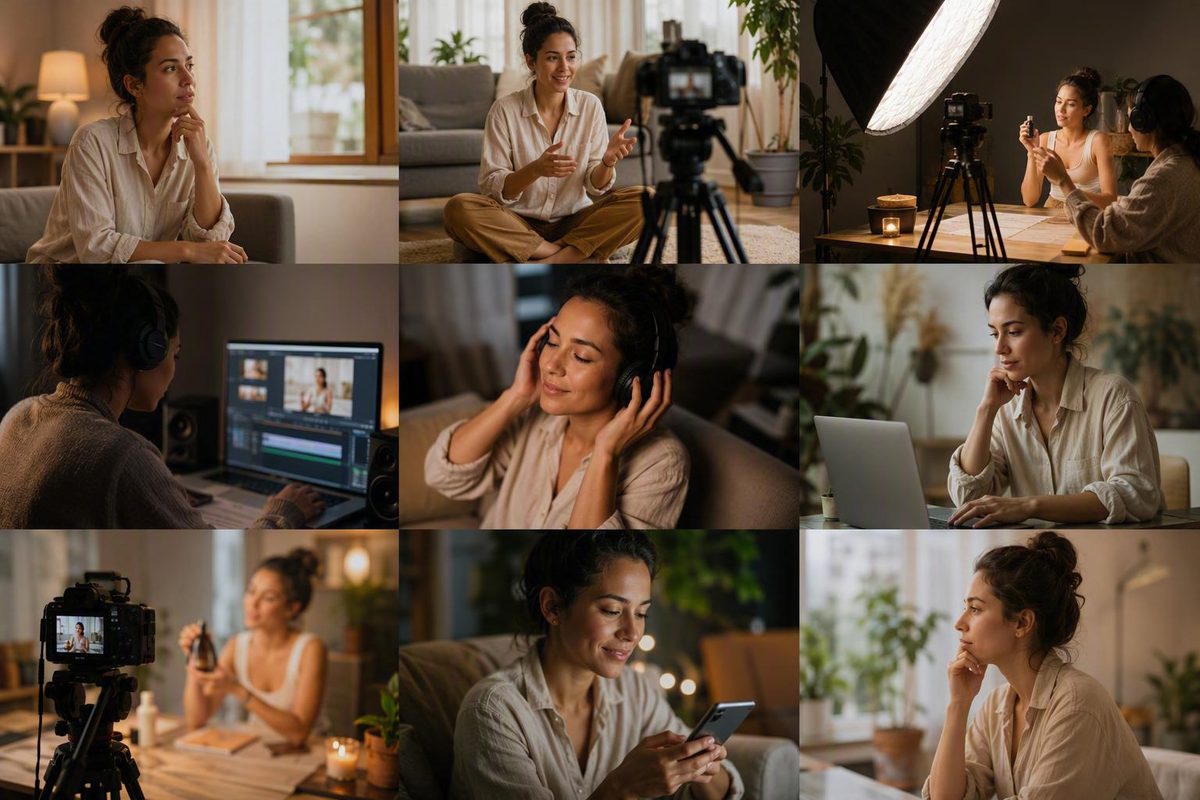
Plan, script, shoot, edit, clear music rights, export for each placement, publish, and measure results with one repeatable process.
The aim is not one “perfect” clip. It is a reliable system for producing clear, rights-aware, reusable video.
Start with a one-page video brief
Complete this brief before filming:
| Brief field | Fill in |
|---|---|
| Audience | Who is the one intended viewer? |
| Viewer problem or need | What are they trying to understand, decide, or do? |
| Objective | Awareness, education, interaction, or commerce? |
| One core message | What single point should they remember? |
| Proof or demonstration | What will make the message credible or useful? |
| Platform and placement | Where exactly will the video appear? |
| Format | Tutorial, demonstration, talking head, interview, animation, faceless, or another format? |
| Call to action | What should the viewer do next? |
| Deadline | When must the approved version be ready? |
| Primary success metric | What result will determine whether it worked? |
Keep each asset focused on one subject and one target audience. A campaign can contain many messages, but one video rarely needs to carry all of them.
Choose a metric that matches the objective:
- Awareness: reach and qualified watch time
- Education: retention and completion
- Interaction: relevant comments, replies, or other intended responses
- Commerce: clicks, add-to-cart activity, orders, and returns
Here, qualified watch time is a practical project metric rather than a standard measurement reported identically by every platform. Define it as watch time from the audience the video was intended to reach. Depending on the available dashboard, useful proxies may include watch time from a targeted campaign audience, relevant placement, customer segment, traffic source, or demographic group. If those breakdowns are unavailable, state the limitation instead of treating total watch time as qualified.
For commerce, do not stop at views or even orders.
Larping Agency’s published pages present it as an educational resource covering UGC, creator economics, briefs, contracts, and platform workflows; they do not establish a video-production service offering. Its articles are informational, and its descriptions of licensing terms and platform policies are general industry observations rather than project-specific advice. Verify current platform rules and licensing requirements before committing the brief.
Choose a format that fits the job
A format is a production choice, not a performance guarantee. Select it according to what the viewer must see or understand, what source material already exists, and how much production control the job requires.
| Format | Strongest use | Source material | Production burden |
|---|---|---|---|
| Tutorial or demonstration | Showing a process, feature, recipe, or product in use | Steps, product guide, task, before-and-after sequence | Low to medium |
| Talking head | Direct explanation, opinion, introduction, or concise update | Script, outline, FAQ, social post | Low to medium |
| Interview or webinar | Expert, founder, employee, or customer material | Questions, transcript, live discussion, case study | Medium |
| Text-led or faceless video | Producing without an on-camera presenter | Blog, report, product description, voice-over, screen recording | Low to medium |
| Animation | Explaining concepts that are abstract, unsafe, difficult, or impractical to film | Diagram, process map, data, written explanation | Medium to high |
| Higher-production video | Work requiring controlled visuals, locations, performance, or a polished campaign look | Creative treatment, storyboard, detailed script | High |
Creators can also test vlogs, recipes, hauls, tutorials, and storytelling. None is inherently guaranteed to outperform the others. The useful question is whether the format serves the message, audience, and placement with the time and material available.
Video does not have to begin with a blank page. Blogs, case studies, reports, product descriptions, social posts, interviews, FAQs, and internal documents can all supply raw material. Adapt the underlying idea instead of simply reading the original text over unrelated footage.
For example, one product guide could become:
- A full demonstration showing setup and use in sequence.
- A concise vertical problem-solution clip opening with the user’s specific problem.
- A short tutorial covering one task from the guide.
- A captioned proof clip built around a qualified quote, result, or product detail.
These are not four reposts of the same finished file. Each version needs an appropriate opening, framing, pace, graphics, and call to action.
Plan the script and shots before recording
Write the message before choosing decorative visuals. A simple script can follow five beats:
- Opening viewer benefit: State what the viewer will learn, see, or be able to do.
- Problem or context: Explain why the subject matters.
- Demonstration or explanation: Deliver the useful substance.
- Proof or qualification: Show evidence, conditions, limitations, or a concrete example.
- Call to action: Tell the viewer what to do next.
The opening should make the benefit clear early. That does not mean a particular three-second hook guarantees retention or reach. Treat the opening as a clarity test: will the intended viewer understand why the video is relevant before unnecessary setup pushes the answer back?
Turn the script into a shot list. To keep the tables usable, separate creative direction from production logistics while matching both parts by shot number.
| Shot | Spoken line or purpose | Framing | Action or supporting visual |
|---|---|---|---|
| 1 | Opening benefit | Close or medium | Show the problem or finished result |
| 2 | Context | Medium or detail | Establish the product, place, or process |
| 3 | Main explanation | As required | Demonstrate the first key action |
| 4 | Proof or qualification | Detail, screen, or insert | Show evidence, condition, or comparison |
| 5 | Call to action | Clear final composition | Display the next step |
| Shot | Required product or prop | Audio and on-screen text | Status |
|---|---|---|---|
| 1 | Planned | ||
| 2 | Planned | ||
| 3 | Planned | ||
| 4 | Planned | ||
| 5 | Planned |
The audio field should identify the source, such as live dialogue, separate microphone, voice-over, room sound, or music. Useful status labels include planned, recorded, approved, and replace.
Before the shoot, confirm:
- Approved script or message outline
- Correct products and props
- Current logos, fonts, and other brand files
- Licensed-music plan—or a decision to add music later
- Caption and on-screen-text plan
- Required platform crops and placements
Planning does not require turning a simple social clip into a film set. Camera settings, lighting diagrams, equipment kits, budgets, and schedules depend on the scene and production standard; there is no universal setup for every creator or brand.
Record for the placements you actually need
Four technical terms shape recording and export decisions:
- Aspect ratio: the shape of the frame, expressed as width to height.
- Resolution: the number of pixels in the image.
- File size: the storage or upload weight of the file, usually measured in MB or GB.
- Frame rate: the number of image frames shown each second, expressed as fps.
Use 9:16 as a common working shape for mobile-first Reels, Stories, TikTok videos, and YouTube Shorts. Use 16:9 for standard YouTube and many web or desktop-oriented videos. A resolution of 1080 × 1920 is a common working choice for vertical social video, not a universal requirement for every placement or account. These definitions and dimensions are summarized in Sendible’s social-media video specifications guide.
Keep faces, products, captions, logos, and calls to action away from the edges. Platform controls, buttons, and automatic crops can cover or remove important material.
If the same recording will feed several placements, frame the subject centrally and capture enough surrounding space to create reviewed vertical, landscape, or square crops later. That extra room improves flexibility; it does not make reframing automatic.
A landscape two-person shot may still become cramped in vertical. A centrally framed product may need its captions moved, close-ups replaced, or cuts retimed. Review every derivative rather than trusting an automatic crop.
Check current first-party documentation for the exact placement immediately before recording and again before export. Requirements can differ by platform, placement, account, device, region, advertising interface, and publishing tool. Treat third-party specification guides as planning aids, not permanent platform rules.
Edit in a fixed order instead of polishing too early
Use a consistent post-production sequence:
- Organize and label footage.
- Assemble the rough cut.
- Refine pacing and replace weak shots.
- Repair and clean up dialogue.
- Add supporting visuals or cutaways.
- Correct and balance color.
- Add titles and graphics.
- Review and correct captions.
- Mix narration, music, and effects.
- Perform quality control.
- Render placement-specific derivatives.
It keeps the message and edit structure ahead of cosmetic decisions.
Professional post-production can include multicamera editing, color management, dialogue repair, voice-over, sound design, visual effects, motion graphics, and multiple delivery formats. A basic social video does not require every advanced stage. Use only the steps the material needs.
For creators who want a structured software-learning route, Blackmagic Design’s official DaVinci Resolve training covers editing, color, Fairlight audio, Fusion effects, multicamera work, and delivery. It is one available path, not an objectively best editor for every workflow.
Before publishing, watch the complete video rather than checking isolated sections. Dialogue that sounds clear on its own may be buried after music is added, while an edit that works in the timeline may reveal awkward jumps or unreadable text at normal playback speed.
Use this quality-control checklist:
- [ ] The message is understandable without extra explanation.
- [ ] Cuts do not hide key actions or product details.
- [ ] Dialogue is intelligible.
- [ ] On-screen text is readable at normal playback speed.
- [ ] Captions have been reviewed for wording, timing, and line breaks.
- [ ] Brand elements remain inside safe areas.
- [ ] Music and effects do not overpower narration.
- [ ] The final frame contains the intended call to action.
Create a master, then export placement-specific versions
One source project can produce several derivatives. That does not mean one finished file should be published unchanged everywhere. Different placements may require a new crop, pace, duration, graphic layout, caption treatment, or call to action.
| Working shape | Typical placements | What to review |
|---|---|---|
| 9:16 vertical | Reels, Stories, TikTok, Shorts | Interface overlays, caption position, close framing |
| 16:9 landscape | Standard YouTube, web, desktop-oriented video | Text size, mobile readability, thumbnail and opening |
| 1:1 square | A feed placement that specifically requires square | Side crops, reduced visual space, text wrapping |
As general working guidance, 24–30 fps suits much social video, while 60 fps can be useful for motion-heavy footage. These are not universal export rules. Preserve the source frame rate where changing it would create uneven motion, and follow the current requirements of the destination.
Do not confuse:
- Platform upload limit: what a native platform currently accepts.
- Creative recommendation: what someone believes is a useful length or format.
- Publishing-tool limit: what a scheduler or management platform can process.
They can conflict. A third-party specification guide dated in 2026 lists different limits for certain native uploads and uploads published through its own scheduling system. It also illustrates why TikTok and Instagram maximums should not be reduced to one supposedly definitive figure across every upload method. Check both the live platform interface and the publishing tool you intend to use; the Sprout Social specification guide is illustrative rather than a substitute for first-party requirements.
For each derivative, verify:
- [ ] Aspect ratio
- [ ] Pixel dimensions
- [ ] Duration
- [ ] File format
- [ ] File size
- [ ] Frame rate
- [ ] Manual crop and reframing
- [ ] Safe zones for text, logos, faces, products, and calls to action
- [ ] Caption rendering and line breaks
- [ ] Dialogue, music, and effects balance
- [ ] Playback of the actual uploaded preview
The uploaded preview matters because platform processing can introduce compression, cropping, cutoff, or other rendering differences that were not visible in the exported file.
Clear music rights before the video leaves the edit
This section provides general information grounded primarily in U.S. copyright guidance. It is not project-specific legal advice.
A recorded song can contain two separately protected works: the underlying musical composition, including lyrics, and the particular sound recording. Copyright protection begins when an original work is fixed in a tangible medium. Protected music generally requires permission, an appropriate licence, genuine public-domain status, or a valid legal exception for the specific use. There is no universally safe number of seconds that automatically makes unlicensed use permissible, according to the U.S. Copyright Office’s music copyright guidance.
For video, a synchronisation licence concerns pairing a composition with visuals, while a master licence concerns using a particular existing recording. Clearing one does not necessarily clear the other. “Royalty-free” music may still require payment and impose limits on platforms, projects, territories, advertising, or redistribution. Creative Commons terms may require attribution or prohibit commercial use or derivative works, and a public-domain composition does not automatically place a newer arrangement or recording in the public domain. These distinctions are summarized in this music-licensing guide for video creators.
Platform audio requires the same care. Music available for a personal post may not be available for sponsored, branded, ambassador, employee, or advertising content. Permission on one platform does not necessarily travel with a downloaded video to another. Brands should check commercial-library availability separately on each platform and preserve the applicable licence terms, as outlined in Pex’s social-media music copyright checklist.
Maintain a rights log:
| Field | Record |
|---|---|
| Composition | Song or underlying work |
| Recording | Exact recording, version, remix, or performance |
| Source or licensor | Rights holder, library, platform, or supplier |
| Proof of purchase | Receipt, invoice, licence certificate, or agreement |
| Permitted platforms | Each named destination |
| Commercial rights | Organic brand post, sponsored content, paid ad, or other use |
| Territory | Countries or regions covered |
| Attribution | Exact credit required |
| Expiry | End date or renewal condition |
| Stored documentation | File path or contract-record location |
Complete the log before final approval, not after a claim, mute, or takedown forces the issue.
Publish, measure, and choose the next experiment
Before publication, review the:
- Title or caption
- Thumbnail, where applicable
- Opening promise
- Call to action
- Rights status
- Placement-specific crop
- Uploaded preview
Measure the result against the original objective. Views alone cannot tell you whether an instructional video taught the process or whether a commerce video produced suitable customers.
Use this mapping:
- Awareness: reach and the project’s defined qualified-watch-time measure
- Education: retention and completion
- Interaction: relevant comments, questions, replies, or other intended responses
- Commerce: clicks, add-to-cart activity, orders, and returns
Choose one next experiment from the data. Change the opening, format, pacing, explanation, visual demonstration, or call to action—not all of them at once. A controlled change makes the next result easier to interpret.
Do not treat a particular posting frequency, video length, or request for comments as an algorithm switch. Analytics can identify patterns in your own work, but they do not establish a universal formula for distribution.
Finally, update the brief with what you learned. Record the audience, message, format, placement, and call to action used, then note the outcome and next test. Preserve the source footage, project files, rights records, master, and approved derivatives so useful material can be repurposed without rebuilding the job from scratch.
A concise start-to-publish checklist:
- [ ] Define one viewer and one goal.
- [ ] Select the format and exact placement.
- [ ] Write the message before choosing visuals.
- [ ] Record with crops and safe zones in mind.
- [ ] Edit in a fixed order.
- [ ] Clear music rights.
- [ ] Export and preview each placement separately.
- [ ] Judge the result against the metric in the brief.
- [ ] Preserve the source material and record the next experiment.
The durable skill is not making one polished clip. It is building a workflow that repeatedly produces clear, rights-aware, reusable video without mistaking platform maximums or marketing claims for proven best practice.
Frequently asked questions
What does video content creation include?
Video content creation includes defining the audience and objective, developing the idea and script, planning shots, recording, editing picture and sound, adding graphics and reviewed captions, clearing rights, exporting placement-specific files, publishing, and measuring results. Depending on the project, it may also include interviews, animation, voice-over, multicamera editing, color work, effects, approvals, and archiving.
Can I use a few seconds of copyrighted music in a video?
Not automatically. There is no universally safe number of seconds that makes unlicensed music use permissible. You generally need appropriate permission or a licence unless the exact work and recording are genuinely in the public domain or a valid legal exception applies. Fair use and comparable exceptions depend on the facts and jurisdiction, not a stopwatch, as the U.S. Copyright Office explains.
Does music from TikTok or Instagram remain licensed when I repost the video elsewhere?
Do not assume so. Platform music permissions can depend on the platform, account type, territory, placement, and whether the post is personal or commercial. A track available in one platform’s library may not be cleared for another platform, a sponsored post, an advertisement, or a downloaded cross-platform repost. Check the licence for the exact recording and intended use before republishing; Pex’s brand music checklist specifically warns that commercial-library availability can differ between platforms.